What Should Your Poster Presentation Include?
Crafting an effective poster presentation involves a blend of concise content, engaging visuals, and strategic planning. Whether you're presenting at a conference, seminar, or classroom, a well-designed poster can communicate your ideas clearly and captivate your audience. Here's what your poster presentation should include to achieve these goals.
Firstly, understand that your poster is not a written report. It's a visual aid that supports your oral presentation. Therefore, it should be engaging, easy to read, and complement your spoken words.
Essential Elements of a Poster Presentation
Including these key elements will help you create a compelling poster presentation.


**Title and Introduction**
Start with a clear, concise, and attention-grabbing title that accurately reflects your topic. Your introduction should be a brief paragraph that provides context and outlines what your poster will cover.


Visuals and Layout
Use high-quality images, graphs, and diagrams to illustrate your points. Ensure they are relevant, easy to understand, and enhance your message. Your layout should be clean, uncluttered, and allow for clear navigation.
**Use of Color and Typography**
Choose a color scheme that's appealing and professional. Use colors to highlight important points or draw attention to key areas. For typography, use a large, easy-to-read font for headings and a slightly smaller, clear font for body text. Avoid using too many different fonts or styles.


Content and Organization
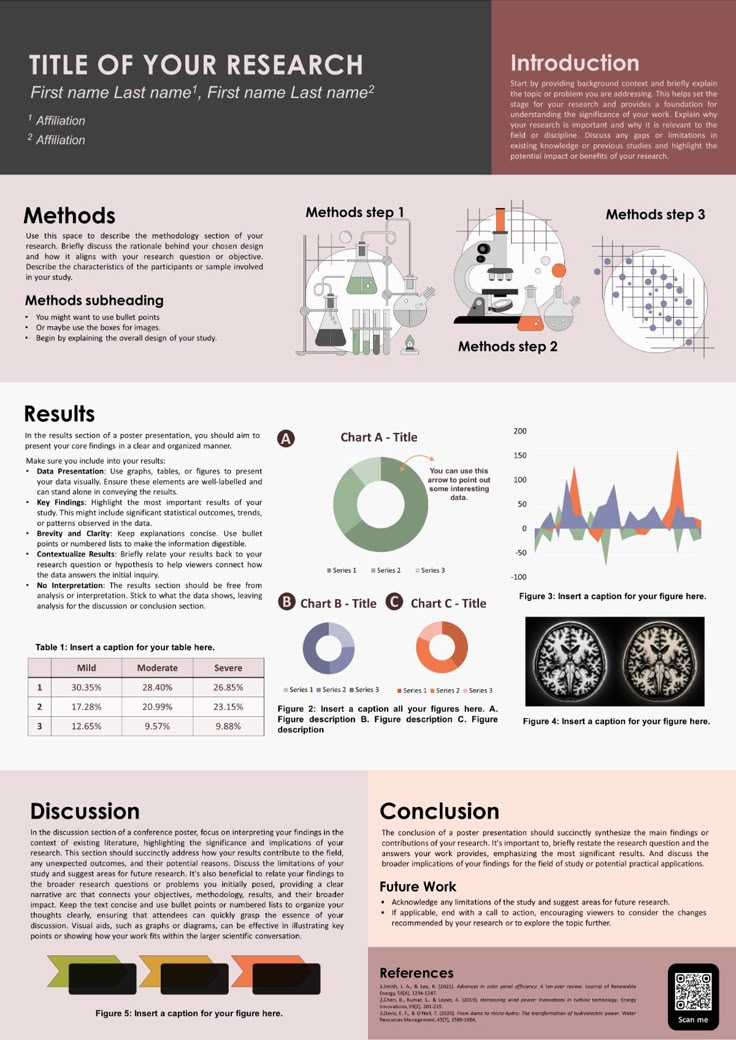
Your content should be concise and focused. Break it down into logical sections, such as Introduction, Methods, Results, and Conclusion. Each section should have a clear heading and be self-explanatory.
**Data and Statistics**
If you're presenting data, use tables, graphs, or charts to display it. Make sure they are clearly labeled and easy to understand. Avoid using too much text to explain data; let the visuals do the talking.


Design and Production Tips
These tips will help you create a polished, professional poster.
**Size and Format**
Most poster sessions use a standard size, typically 48" wide x 36" tall. Design your poster in a presentation software like PowerPoint or Google Slides, then export it as a PDF or image file.
Proofreading and Rehearsing
Before printing, proofread your poster for any spelling, grammar, or formatting errors. Rehearse your presentation using the poster to ensure you can explain each section clearly and confidently.
**Printing and Display**
Print your poster on high-quality paper or use a large format printer. If you're using a poster board, ensure it's secure and level. If you're using a display stand, make sure it's stable and the poster is visible from all angles.
In the final moments of your presentation, encourage questions and discussion. Your poster should spark interest and provoke thought. By including these elements and following these tips, you'll create a poster presentation that informs, engages, and leaves a lasting impression.
Related Articles

What to Include in Your Poster's Text: A Comprehensive Guide
Crafting an effective poster involves more than just slapping some text and images together. It's about communicating a message, evoking emotion, and inspiring...

What Should a Good Poster Include: Key Elements for Impactful Designs
Crafting an effective poster involves a delicate balance of engaging visuals, concise information, and strategic design. A well-designed poster can capture...

What to Include in a Gift Basket for Your Friend
Putting together the perfect gift basket for a friend is a wonderful way to show you care, turning a simple gesture into a deeply personal experience. Instead...

Family-Friendly Lunch Ideas: What to Serve for Your Next Gathering
Planning a family lunch can be a delightful task, filled with the joy of bringing loved ones together around a shared meal. But with so many options, deciding...
What Makes a Great Poster Presentation
A compelling poster presentation acts as a visual bridge between complex research and a diverse audience, transforming abstract ideas into an accessible...

Essential Emergency Survival Kit: What to Include
When disaster strikes, having an emergency survival kit at hand can make all the difference. This essential collection of supplies can help you and your loved...